GitHub Authentication
GitHub Authentication Provider
The GitHub Authentication Provider enables users to sign in to VeeCode DevPortal using their GitHub accounts. In V2, it is activated by the github-auth preset. This preset belongs to the exclusive identity group — only one identity preset can be active per deployment.
The github-auth preset configures:
- GitHub OAuth sign-in (OAuth App credentials)
- The
githubOrgcatalog provider, which syncs org members and teams asUser/Groupcatalog entities - Sign-in resolvers that map authenticated GitHub identities to catalog User entities
- Disables the guest fallback so the login screen presents GitHub OAuth
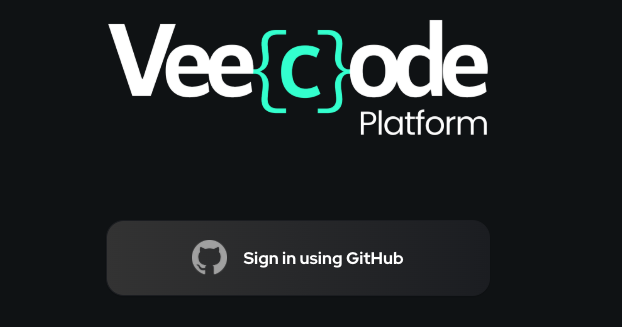
GitHub Login screen
Prerequisites
- A GitHub account with admin access to your organization.
- A GitHub OAuth App (not a GitHub App) for sign-in.
Step 1: Create a GitHub OAuth App
- Go to GitHub Developer Settings
- Click New OAuth App
- Fill in the application details:
- Application name: VeeCode DevPortal
- Homepage URL:
https://your-devportal-instance.com(local setup is usuallyhttp://localhost:7007) - Authorization callback URL:
https://your-devportal-instance.com/api/auth/github/handler/frame
- Click Register application
- Note the Client ID and generate a new Client Secret
This can be done at organization level (recommended) or at user level. Use Settings → Developer settings at the organization level for an org-scoped OAuth App.
Step 2: Create a Personal Access Token
The github-auth preset also requires a PAT to power the githubOrg catalog provider, which reads org members and team membership.
Create a classic PAT (or fine-grained PAT scoped to your org) with at least:
read:org— to read org members and teams
See the GitHub Tokens page for detailed steps.
Step 3: Activate the preset
Set the following environment variables and include github-auth in VEECODE_PRESETS:
VEECODE_PRESETS=recommended,github-auth
GITHUB_PAT=ghp_xxxxxxxxxxxxxxxxxxxxxxxxxxxxxxxxxxxx
GITHUB_ORG=my-org
GITHUB_AUTH_CLIENT_ID=Iv1.abcdef0123456789
GITHUB_AUTH_CLIENT_SECRET=github-oauth-secret
For a full GitHub stack (auth + SCM), also add github:
VEECODE_PRESETS=recommended,github,github-auth
GITHUB_PAT=ghp_xxxxxxxxxxxxxxxxxxxxxxxxxxxxxxxxxxxx
GITHUB_ORG=my-org
GITHUB_AUTH_CLIENT_ID=Iv1.abcdef0123456789
GITHUB_AUTH_CLIENT_SECRET=github-oauth-secret
What the preset configures
The github-auth preset (presets/github-auth.yaml) produces the following app-config block at boot:
signInPage: github

platform:
  guest:
    enabled: false
  signInProviders:
    - github

auth:
  environment: production
  providers:
    github:
      production:
        clientId: ${GITHUB_AUTH_CLIENT_ID}
        clientSecret: ${GITHUB_AUTH_CLIENT_SECRET}
        signIn:
          resolvers:
            - resolver: usernameMatchingUserEntityName
            - resolver: emailMatchingUserEntityProfileEmail
            - resolver: emailLocalPartMatchingUserEntityName

integrations:
  github:
    - host: github.com
      token: ${GITHUB_PAT}

catalog:
  providers:
    githubOrg:
      default:
        id: production
        githubUrl: https://github.com
        orgs:
          - ${GITHUB_ORG}
        schedule:
          frequency: { minutes: 30 }
          timeout: { minutes: 3 }
Sign-in resolvers
The three resolvers are tried in order; the first match establishes the Backstage identity:
| Resolver | What it matches |
|---|---|
usernameMatchingUserEntityName | GitHub username → metadata.name on the User entity |
emailMatchingUserEntityProfileEmail | GitHub primary email → spec.profile.email |
emailLocalPartMatchingUserEntityName | Email local part → metadata.name |
The usernameMatchingUserEntityName resolver requires the org sync to have run at least once so that User entities exist in the catalog.
Troubleshooting
- Callback URL mismatch: Ensure the callback URL in your GitHub OAuth App matches exactly
https://<your-instance>/api/auth/github/handler/frame. - Sign-in resolvers all fail: Wait for the first org sync to complete, or ensure the User entity's
metadata.namematches the GitHub username. - Missing
read:orgscope on PAT: ThegithubOrgprovider needs this scope to read organization members and teams. Without it, noUser/Groupentities are ingested and the sign-in resolvers that rely on them will fail. - Exclusive-group conflict at boot: You have more than one identity preset in
VEECODE_PRESETS. Keep onlygithub-author switch to a different identity preset.
Security considerations
- Never commit client secrets or PATs to version control.
- Use environment variables or a secret management system (Vault, AWS Secrets Manager, etc.).
- Regularly rotate your OAuth client secret.
References
Was this helpful?